Online Banking Benefits
- Check account balances and history
- View detailed transaction history from the past 24 months
- Make loan and credit card payments
- Transfer money between PSFCU accounts or to external institutions.
Enroll
- Access 24 months of eStatements electronically
- Pay bills through our free Online Bill Payment service
- Manage your Financial Wellness by categorizing your transcation data and creating Savings Goals
- Submit Online Stop Payment requests
- Export your transcation history to personal financial services such as Ms Money OFX, Excel, Quicken, and Quickbooks
Security Information
- All data is encrypted
- Verify your identity by using Multi Factor Authentication
- You must have a unique email address on your account to successfully register for Online Banking. If you do not have an email address provided on your account, please contact PSFCU to update the personal information on your account.
To register your business account for PSFCU Online Banking, you need to complete a one-time registration process. You will need to provide the following information: PSFCU savings account number, email, and EIN.
- Select Forgot Username
- You will be asked to provide the following informaion: PSFCU savings account number, birth date, email, and SSN or Government Issued ID #.
- If the information in these fields accurately matches an existing Online Banking account, your username will be displayed to you.
- Select Forgot Password
- You will be asked to provide the following information: your usernmame, PSFCU savings account number, email, and SSN, EIN, or Government Issued ID #.
- If the information in these fields accurately matches an existing Online Banking account, you will be prompted to create a new strong password.
- You can change your Password anytime by logging into Online Banking and navigating to Tools -> Settings -> Security.
- You will be asked to provide your current password and your new strong password.
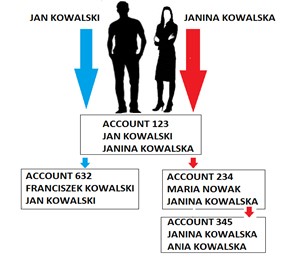
Accounts Linked by Social Security Number
- When you log into your Online Banking account, the accounts that you will see are all the ones on which your Social Security number has been provided as either the primary or joint owner. Please note that Power of Attorney individuals will also see any accounts on which their Social Security number has been provided.
- Accounts displayed to joint owners on the same account may differ significantly depending on their ownership rights in other accounts at the credit union
If you would like to delete your digital banking data at Polish & Slavic FCU, you may use the following options:
- Call us at 1.855.PSFCU.4U (1.855.773.2848);
- Send us a secure message through Online or Mobile Banking;
- Email contact@psfcu.net.
Enrollment Requirements
- Every online banking user is required to have a unique e-mail address on file at PSFCU
- If you do not have an e-mail on file, please contact the PSFCU Member Service Center at 1.855.PSFCU.4U
- To enroll, you will be prompted to verify your identity, providing the following information; your PSFCU savings account number, e-mail, birth-date, and Social Security Number or Government Issued ID
Registration and Login
To enroll for Online Banking, you will need to complete a one-time registration process:
- Click on the orange Online Banking button on the left side of the PSFCU home page
- Select Register
- Select whether you are enrolling an Individual or Business account
- Accept the Disclosure
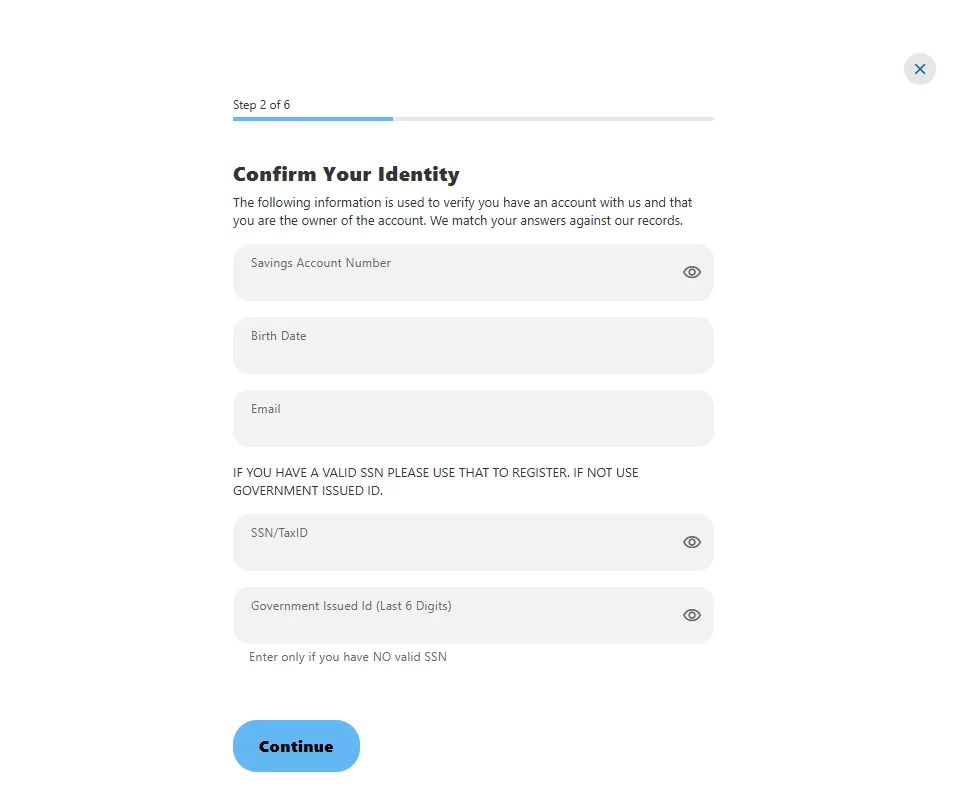
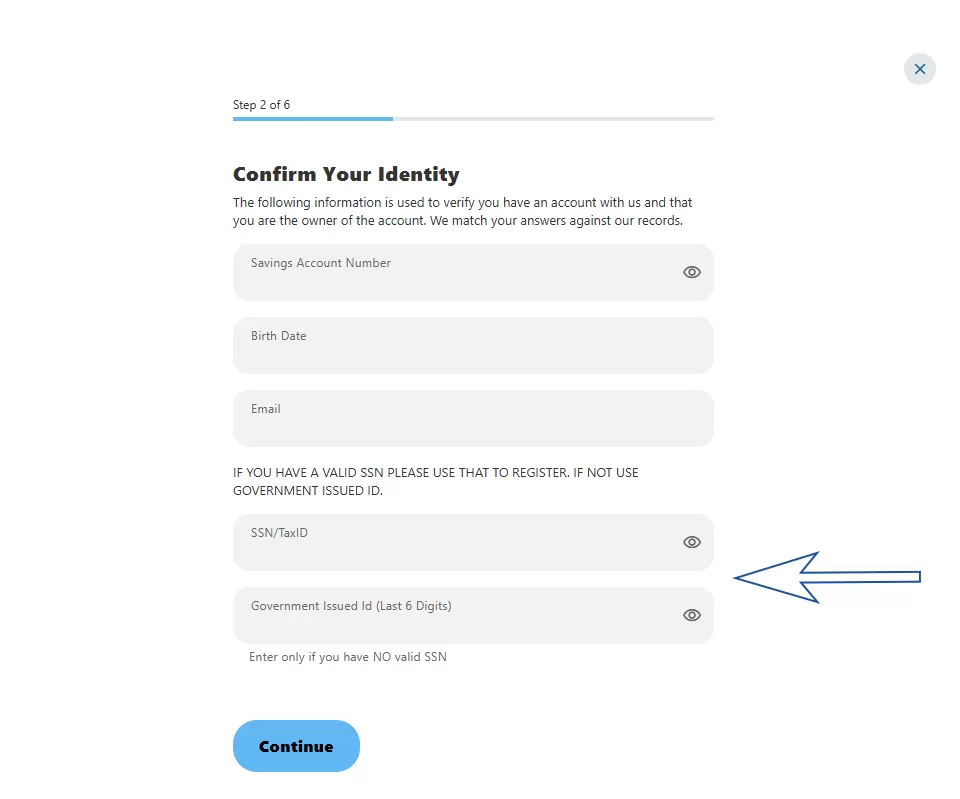
- You will be asked to verify your identity by providing the following information:
- PSFCU Savings Account Number
- Birth Date
- Email
- Social Security Number or Government Issued ID Number
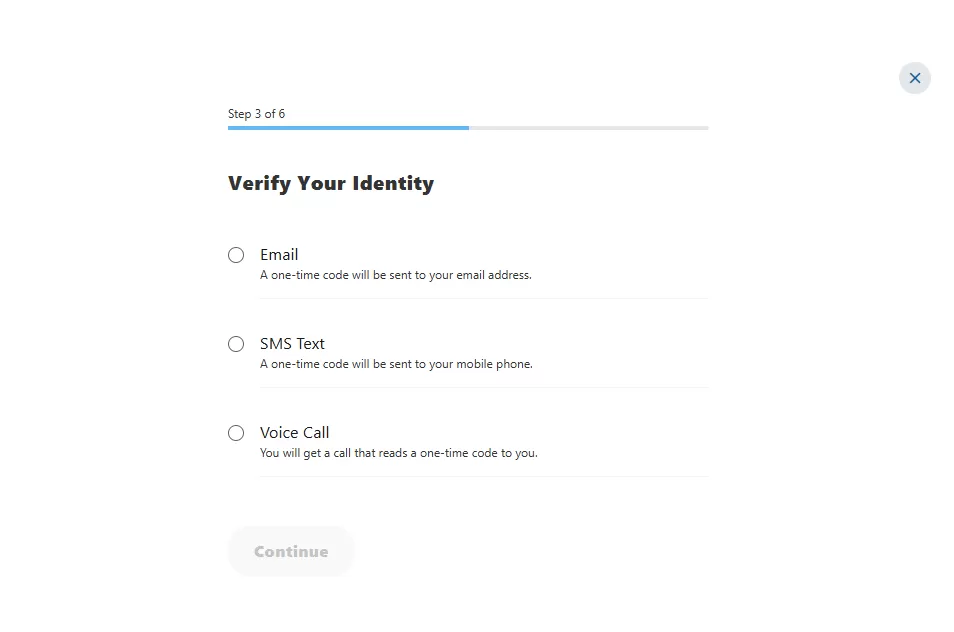
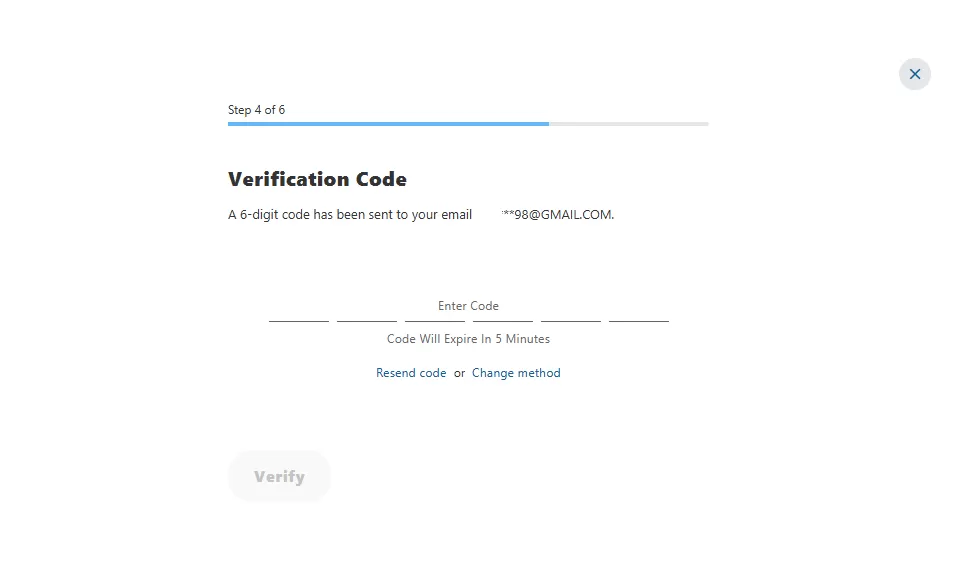
- Enter your Verification Code. Once done, click Verify
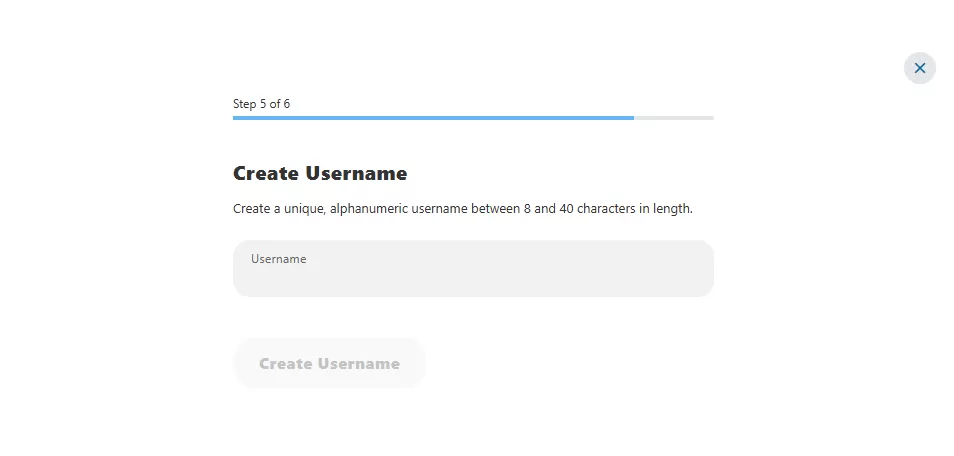
- Enter your desired new username. The system will verify whether this username is unique and available.
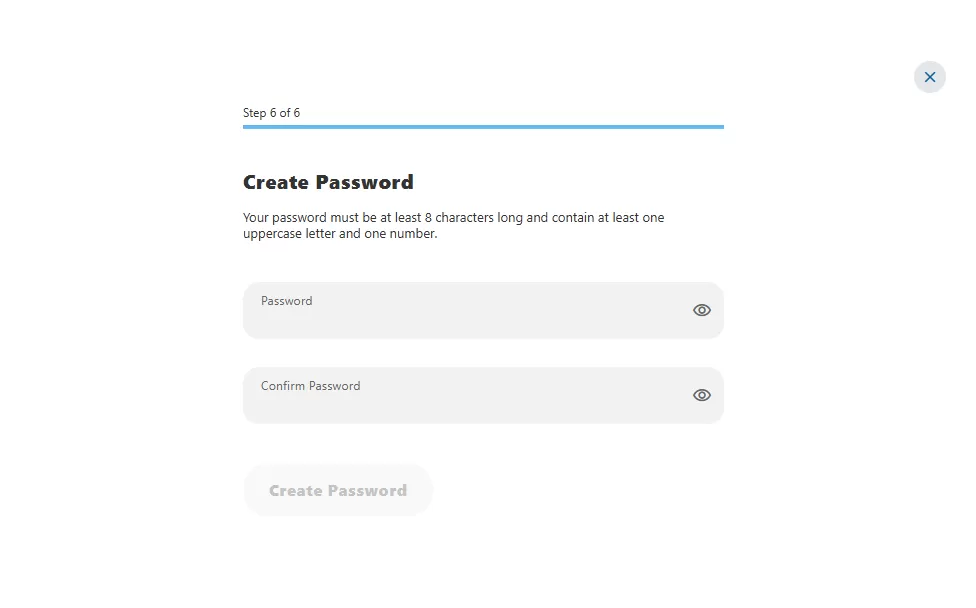
- Set up a new strong password
- You will be asked to provide the last 5 digits of the Government Issued ID that PSFCU has on file for you instead of a Social Security number
FAQ
Mobile Banking Benefits
- Make a quick and secure deposit by taking a picture of your check using the Mobile Check Deposit feature
- Check account balances and history
- View detailed transaction history from the past 24 months
- Make loan and credit card payments
- Transfer money between PSFCU accounts or to external institutions
- Access 24 months of eStatements electronically
- Pay bills through our free Online Bill Payment service
- Manage your Financial Wellness by categorizing your transaction data and creating Savings Goals
- Submit online Stop Payment requests
- Find the location of the nearest ATM
Download the Mobile App*
Mobile Deposits
The PSFCU Mobile Banking app allows users to deposit checks at any time, from anyplace. You are able to deposit checks up to a total amount of $20,000 per day.
How to deposit your check via smartphone?
Making a quick and secure check deposit through your smartphone is easy. After logging into your Mobile Banking account, select the Mobile Deposit option, select the account to which you want to deposit your check, enter the amount of the deposit and take a photograph of the front and back side of your check. The deposit is complete after pressing the Submit button.
We encourage you to use the Alerts feature in Online & Mobile Banking to stay updated on account activity such as check deposits. To set up Alerts, go to the Services tab and select Alerts.
FAQ
If you have any questions about PSFCU Online or Mobile Banking service, you can reach out Member Service Center at 1.855.PSFCU.4U (1.855.773.2848) or visit one of our branch locations.
*Apple, Apple Pay, the Apple logo are trademarks of Apple Inc., registered in the U.S. and other countries; Android, and Google Play are trademarks of Google LLC.
Go to main navigation